NSFW AI Templates, Explained: Your Character, the Right Model, the Cost
NSFW AI templates are finished prompts that come with the model and settings behind an example, so one click fills the lab and you change only what you want. The spicy templates gallery holds 13 image templates and 11 clip templates plus 17 scene sets, in photo-real, anime and semi-realistic styles, with looks such as lingerie, swimwear, boudoir, pin-up and more, all with invented adult characters.
This guide covers the part the gallery doesn’t: how to turn someone else’s good result into a picture of your own character, and which template to reach for when credits matter.
SpicyHub AI is in beta, and new accounts get 50 free credits that work on any model. A template run costs the same as typing the prompt yourself: 6 to 12 credits for an image template and 75 to 100 for a clip template, at the settings it opens with.
Adults 18+ only. Every character you make has to be an adult: one you invented, or a real adult who agreed to it. Minors are never allowed, in any art style. The Terms of Service set out the full rules.
Examples from our spicy templates
Browse all templates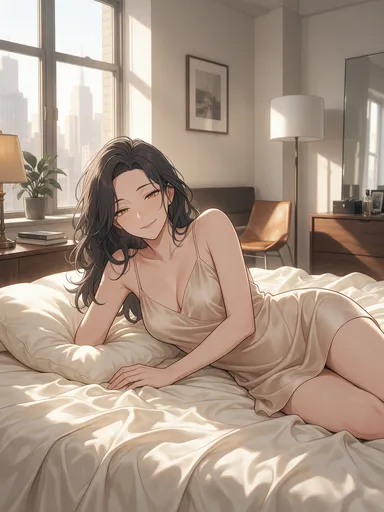
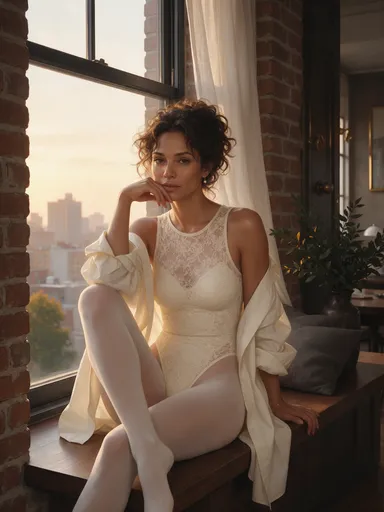
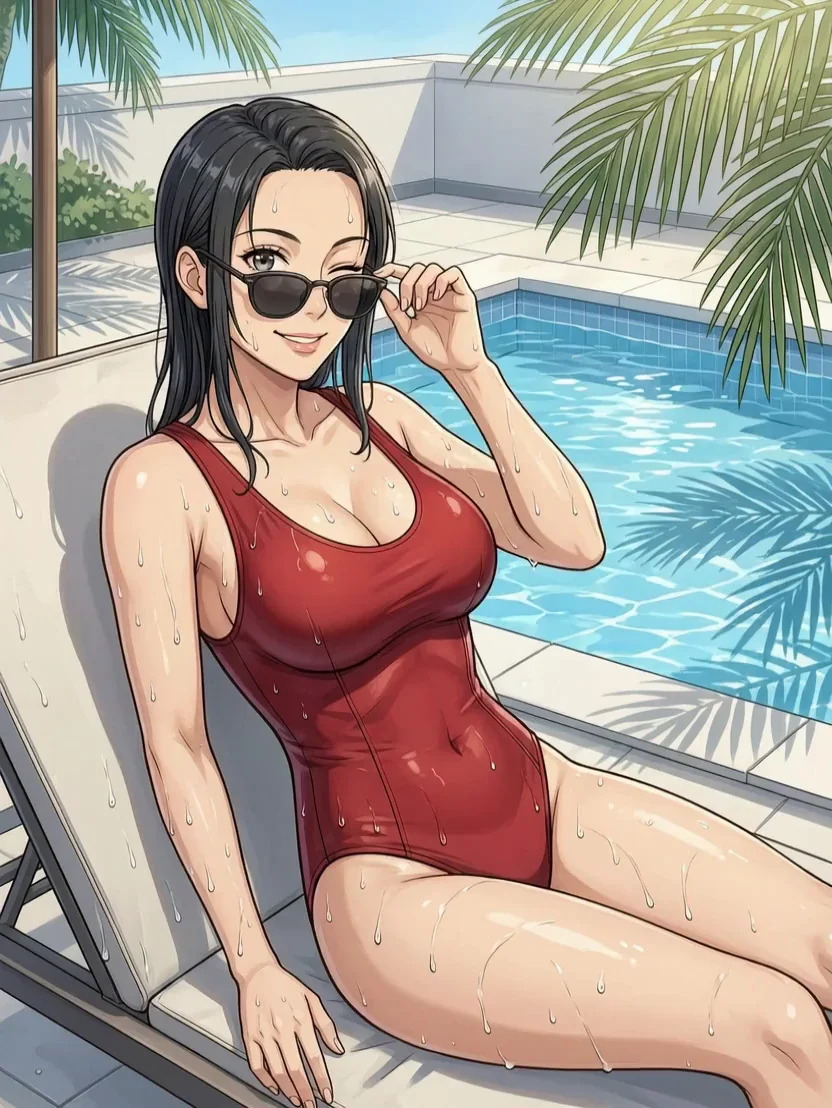
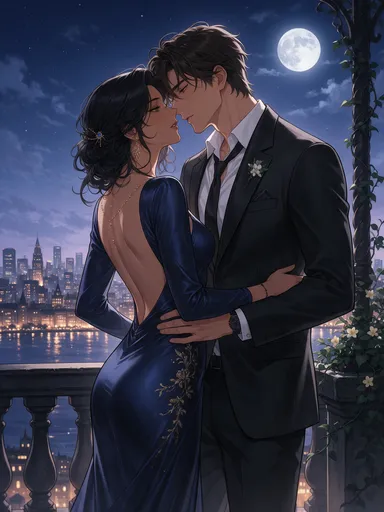
What a template card tells you
Every card in the gallery carries the same set of facts, so you can judge a template before spending anything:
- The example: the still or the clip that the prompt produced.
- Theme and style: realistic, lingerie, swimwear, men, boudoir, pin-up, fantasy & sci-fi or couples; photo-real, anime or semi-realistic.
- Model and settings: which 18+ model made it, at what size or resolution, and for clips how many seconds.
- Credits: the price of one run at those settings, worked out by the same calculator that bills you.
- The starting still (clips only): the image template whose picture becomes the clip’s first frame.
- The full prompt: open it to read every word, or copy it to use elsewhere.
What happens when you press Use template
- If you aren’t signed in, you create a free account first and land back on the same template afterwards.
- The Image Lab or the Video Lab opens on the template’s model, in Spicy mode, with the prompt and settings filled in. A clip template also loads its starting still as the first frame.
- Change whatever you like: the character, the outfit, the place, the light, the size or the length. The lab shows the price for your settings before you generate.
- Press Generate. Before your first run on an 18+ model, a one-time check asks you to state your age (18 or over) and agree to the rules.
Nothing is generated or charged until that last step, so opening a template to read it in the lab costs nothing.
Putting your own character into a template
A template prompt starts with a description of its character. That opening is the part to replace. There are three ways to do it, from quickest to most faithful:
- Rewrite the opening. Swap the stock character for yours, keeping an age and an adult build in the sentence. Before: “an original fictional adult woman in her late 20s with a mature face and adult figure”. After: “an original adult woman of 34, tall, with an auburn bob, green eyes and freckles across her shoulders”.
- Attach your character as Figure 1. On Spicy UNCENSORED templates you can add up to 10 reference images. Upload your best picture of the character and replace the opening with “the woman from Figure 1, same face and hair”. This keeps a recurring character recognisable far better than words alone. Wan 2.7 Image templates take up to 9 uploads too, but that model edits what you give it, so upload a picture that already has the pose and framing you want.
- In a scene set, replace Figure 1. Each of the 17 scene sets follows one invented woman through 4 to 5 shots in a single place. Use this shot opens Spicy UNCENSORED with her picture as Figure 1 and the set’s first shot as Figure 2, which carries the room, the light and the outfit. Put a picture of your character in Figure 1’s place; once your version of the first shot is done, load it as Figure 2 for the shots after it. With both references attached, a shot costs 12 to 13 credits.
- For clips, change the first frame. Run the matching image template with your character first, then open the clip template and replace its starting still with your new image. Edit any “she” or “he” in the motion prompt if your character differs.
Your character has to be an adult you invented. Templates are never for real or identifiable people, celebrities included, or for characters from an existing anime, game or film.
Reading a template prompt, line by line
Template prompts share one order, so once you have read one, you can edit any of them quickly. An image template reads: the character (photo-real ones open with the kind of shot, such as a mirror selfie), then the outfit, then the pose and expression, then the setting, a sentence for the shape, and a style line that names the look and rules out text or logos. The last sentence keeps the example non-explicit, because the gallery is public; in the lab, that line is yours to change like any other, within the rules.
A clip template is shorter, because the first frame already shows who and where. It reads: the main action, what else moves in the scene, the camera, and a closing line that keeps the style of the input image and the outfit in place.
- Change one part at a time and run it at the cheapest setting first. Two edits at once make it hard to tell which one helped.
- Outfit swaps work best when you name fabric and colour: “a deep green velvet slip”, not “a nice outfit”.
- In clip prompts, lead with one main action and keep everything else small. The more you pack into a few seconds, the more rushed each move looks.
For writing prompts from scratch, a prompt structure for adult anime art goes deeper, and booru tags to sentence prompts helps if you think in tags.
Which template suits which model, and what a run costs
The templates run on the 18+ models below. Credits are per run at each template’s own settings, and the runs column counts how many of the cheapest template on that model the free credits cover.
| Model | Templates | Credits per run | Runs on 50 free credits | Pick it for |
|---|---|---|---|---|
| Spicy UNCENSORED | 8 images | 12 | 4 runs | Finished stills: photo-real looks, lace and satin detail, couples, and tall or wide shapes |
| Wan 2.7 Image | 5 images | 6 | 8 runs | Cheap runs while you try outfits and poses, and swimwear or pin-up looks |
| Spicy UNCENSORED Video | 9 clips | 75 | Not at these settings | Clips with a first frame you choose, sound optional at the same price, up to 30 seconds |
| HappyHorse 1.1 | 2 clips | 80 to 100 | Not at any setting | Smooth, silent motion from one still, at 720p or 1080p |
| Model | Credits per image | € on Spicy Basic | € on Spicy Pro | € on Spicy Creator |
|---|---|---|---|---|
| Wan 2.7 Image | 6 | €0.10 | €0.083 | €0.074 |
| Spicy UNCENSORED 1K | 8 | €0.133 | €0.111 | €0.098 |
| Spicy UNCENSORED 2K | 12 | €0.20 | €0.167 | €0.148 |
| Model | Length | 480p | 720p | 1080p |
|---|---|---|---|---|
| Spicy UNCENSORED Video (Wan 3.0) | 4 s | 32 | 60 | 116 |
| Spicy UNCENSORED Video (Wan 3.0) | 5 s | 40 | 75 | 145 |
| Spicy UNCENSORED Video (Wan 3.0) | 10 s | 80 | 150 | 290 |
| Spicy UNCENSORED Video (Wan 3.0) | 30 s | 240 | 450 | 870 |
| HappyHorse 1.1 | 3 s | — | 60 | 78 |
| HappyHorse 1.1 | 5 s | — | 100 | 130 |
| HappyHorse 1.1 | 10 s | — | 200 | 260 |
| HappyHorse 1.1 | 15 s | — | 300 | 390 |
Every setting can be turned down before you generate. Spicy UNCENSORED templates open at 2K; at 1K a run is 8 credits. A Spicy UNCENSORED Video template at 480p costs 40 credits for 5 seconds, and the model never charges less than 30 a clip. HappyHorse 1.1 has no 480p, so its cheapest run is the shortest one, 3 seconds at 720p for 60 credits.
Running templates on the free credits
During the beta, the 50 sign-up credits work on every model, so you can try image and clip templates side by side. One way to spend them: a Spicy UNCENSORED Video template turned down to 3 seconds at 480p (30 credits, the per-clip minimum), plus 3 Wan 2.7 Image template runs, 48 credits in all.
| Use | How many | Credits used |
|---|---|---|
| Wan 2.7 Image drafts | 8 | 48 |
| Spicy UNCENSORED at 1K | 6 | 48 |
| Spicy UNCENSORED at 2K | 4 | 48 |
| 5-second Spicy UNCENSORED Video clip at 480p, with sound | 1 | 40 |
Payments for plans and packs open soon; the pricing page already lists them.
Why the public examples stop short of explicit
Every example on the gallery cards is spicy but not explicit: no nudity and nothing sexual happening, because the gallery is a public page that search engines and link previews can see. The models that made them are the same 18+ models you use in the labs, where what you make stays private to your account.
If explicit examples are added, they are kept apart from the public ones: a separate 18+ section of the English gallery that loads only after you state that you are an adult, and that stays out of search results, link previews and pages like this one. The Japanese gallery never gets that section.
Questions people ask
Does a template cost more than a normal run?
No. A template only fills in the lab, so you pay the model’s usual price for the settings you generate with: 6 to 12 credits for the image templates as they open, 75 to 100 for the clip templates. Each card shows its price.
Do I need an account to look at the templates?
No. You can browse the gallery, read the prompts and copy them without signing in. To generate, you need a free account; Use template sends you through sign-up and back to the same template.
Can I make a clip template with my own character?
Yes. Make a still of your character first, ideally from the matching image template, then replace the clip template’s starting still with it before you press Generate.
Can I put a real person into a template?
No. Templates are for adult characters you invent. Using a real or identifiable person, a celebrity or a character from an existing series breaks the rules, and anything that reads as under 18 is refused outright.
Can I paste a template prompt into another model?
Into another 18+ model, yes: an image prompt from a Wan 2.7 Image template runs on Spicy UNCENSORED too, for more shapes and a 2K result. The standard models in the studio aren’t for adult work, so keep template prompts on the models in Spicy mode.
Are the templates available in Japanese?
Yes. The Japanese gallery shows the same templates with Japanese titles and page text. The prompts stay in English in both, since that is what the examples were made with.
SpicyHub AI’s 18+ rules in brief
- You need to be an adult under your own country’s law, never under 18, and the content has to be legal where you are.
- Every character is an adult, both by stated age and by how they look. Drawn and animated characters follow the same rule as photos.
- No sexual content involving a minor or a character who could pass for one. Accounts that try are closed and reported to the authorities.
- A recognizable real person appears only with their documented consent. That rules out celebrities, creators, coworkers and former partners. In a character swap, no real person goes in as the character, you included.
- No sexual violence, no lack of consent and no bestiality, even as fiction.
- Existing characters from anime, manga, games and film are someone else’s property, so create your own.
- Your results stay private to your account until you share them. What you post elsewhere is yours to answer for, under the law and that site’s rules.
A short version only. The binding rules are in the Terms of Service.
Related tools and guides
During the beta, signing up adds 50 free credits that work on any model: 8 drafts on Wan 2.7 Image, say, or a 480p clip with sound up to 6 seconds long. Room to test a character before you decide anything.
Last updated